


Apple CarPlay
Your station in the CarPlay app grid on any compatible car or aftermarket head unit, wired or wireless.




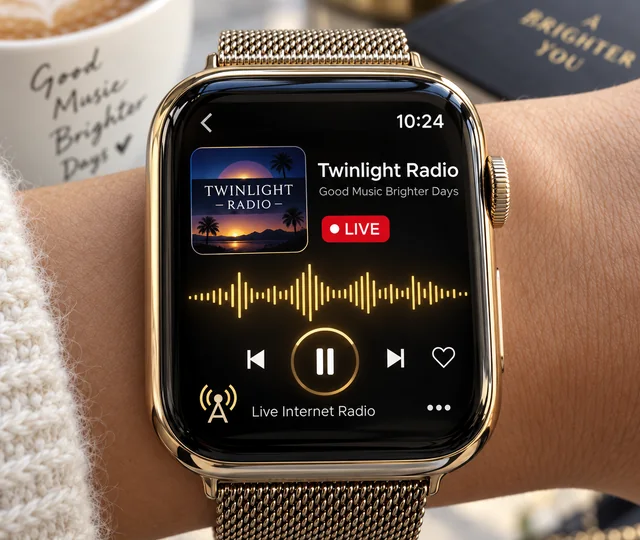
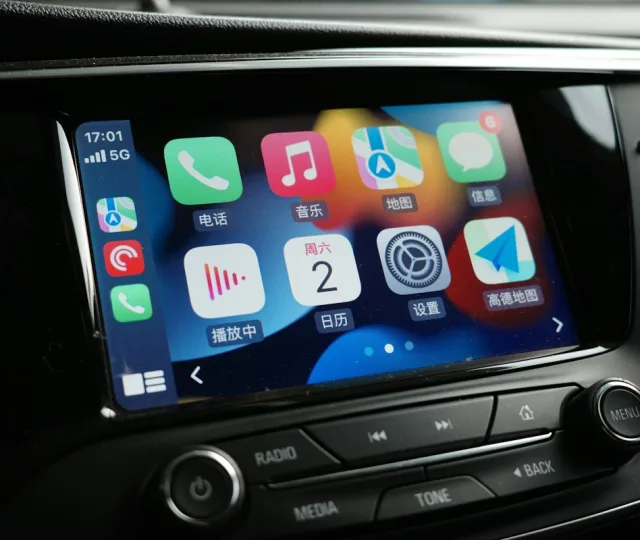
Radio’s home ground is the car. Your station appears right on the dashboard — your name, your logo, one big button — so a driver tunes in without ever picking up the phone.

The drive to work and the drive home are the two moments people still choose radio over everything else. If you are not on the dashboard, you are competing with the stations that are.

Everything here follows Apple’s and Google’s driving rules — which is also simply good design when the listener’s eyes belong on the road.
Your station in the CarPlay app grid on any compatible car or aftermarket head unit, wired or wireless.
The same on the Android side, listed with the car’s other media apps and ready the moment the phone connects.
Play, pause, volume. Targets sized for a thumb at 70km/h, not a fingertip on a sofa.
The buttons already on the wheel work with your stream, so hands never leave it.
Station name, logo and artwork on the car’s display — in front of the driver for the whole journey.
Ducks for navigation prompts and phone calls, then comes straight back — no dead air, nothing to re-tap.
Your listeners do not all drive with the same phone. Built for both, they get the same artwork, the same controls and the same station — whichever screen the car happens to have.


Each platform is built separately, so you can start with whichever your listeners actually drive with.
For iPhone drivers
For Android drivers
Cover every car on the road
Priced in US Dollar. Apple and Google each charge their own annual developer fee, billed separately — we will show you those figures before you commit.
Yes — CarPlay and Android Auto are not separate apps in their own right. They are the car-facing side of a phone app, so the dashboard experience is built onto your iPhone or Android app. If you do not have one yet we will build that too; just tell us and we will quote the whole thing together.
Any car that supports CarPlay or Android Auto — that is most cars sold in the last decade — plus aftermarket head units from the likes of Pioneer, Kenwood and Sony. Wired and wireless both work.
If you run several streams they can be listed, but deliberately briefly. Both Apple and Google limit how much can be shown while driving, and we keep well inside those rules — a short list, large text, nothing that asks the driver to read.
Your audio ducks or pauses as the car expects, then resumes on its own. The driver never has to touch anything to get you back.
Yours. Your station name and icon on the dashboard and in the store listing. Nothing points back to us.
We build quickly, but Apple and Google both review car apps more carefully than ordinary ones, because of the driving-safety rules. That review is on their timetable rather than ours, and we handle any changes they ask for.
Be the station they reach for before they leave the driveway.